Cameras used to be passive witnesses. They recorded, they stored, and someone had to sift through hours of footage when something went wrong. Automation changed that rhythm. With the right workflows, motion turns into context, a door opening kicks off a chain of actions, and a brief blip in a feed becomes a structured alert you can trust. The goal is not more notifications, but better ones, the kind that help you decide quickly whether to act, investigate, or ignore.
I have deployed these systems in cramped retail back rooms, suburban homes, and a few places where downtime was not an option. The patterns repeat: start with the user’s tolerance for noise, map the environment with zones and sensors, then stitch it together with automation that either tells you nothing unless it’s critical, or tells you the right thing in the right channel at the right time.
What a “good” surveillance alert looks like
Well-designed surveillance automation has three traits. First, it carries context, not just an event. “Motion detected” is cheap. “Motion in the driveway while you are away, plate XX42 appearing, lights on, door remains locked” is actionable. Second, it respects the rhythm of the space. Restaurants are loud and dynamic until 11 p.m., then almost silent. A small office sees short bursts around lunch and closing time. Good systems schedule sensitivity and alerting to match those patterns. Third, it fails gracefully. If cloud control for cameras drops, local rules still record, and you get a summary once the link recovers.
A useful benchmark is the five second rule. Could a person, glancing at their phone for five seconds, decide whether to act? If the answer is no, the alert payload likely needs tuning: thumbnails, a text summary, relevant metadata like door state, timestamps, and whether a known person was recognized.
The tiers of automation: device, local hub, cloud
Every automation lives somewhere. Each tier has strengths and limits, and the most resilient designs spread critical functions across them.
At the device level, many cameras can define zones and basic motion filters. That matters because you want to drop obvious noise before anything travels. Think of masking waving trees or a busy street. Device-side detection avoids internet round trips and continues to work if your hub reboots.
Hubs and controllers sit in the middle. They merge signals from IoT sensors for security systems, locks, sirens, lights, and cameras. Platforms like Home Assistant, Hubitat, or SmartThings are built for conditional logic. If a back door contact flips to open between midnight and 5 a.m., and the driveway camera reports motion, then turn on the patio lights and push a rich alert to the owner. Local hubs are ideal for latency-sensitive actions like turning on smart lighting and security scenes before a camera’s IR has time to adjust.
Cloud services bring scale and convenience. You get mobile push notifications, voice-activated security via Alexa or Google Assistant, and cross-site management for multi-location businesses. Cloud control for cameras also simplifies remote sharing and offsite storage. The trade-off is dependence on connectivity and sometimes a subscription. Place the immediate safety actions on the hub, keep cloud workflows for escalation, summaries, and offsite redundancy.
Zones, schedules, and the art of ignoring the obvious
Most false alerts come from poor zoning and from ignoring schedules. Define tight motion zones where people should appear, not where they might appear. For a storefront, shape the zone to the threshold and window interior, not the sidewalk. For a driveway, mask the street and your neighbor’s lawn. On some models, you can apply object filters, only alerting on persons or vehicles. If your cameras cannot do object classification, pair them with a PIR motion sensor pointed at the approach. The dual trigger sharply reduces false positives in heat haze or wind.
Schedules do the heavy lifting for noise. Offices typically set two bands: work hours and after-hours. During work hours, record motion events silently. After-hours, record and alert on doors, windows, and motion in restricted areas. Homes need finer slices. A family might prefer no alerts in the kitchen from 5 to 7 p.m., quiet alerts in the backyard until 10 p.m., and critical alerts overnight. If you track occupancy via phones or presence sensors, tilt toward presence-aware rules. When you are home, turn on lights and record. When you are away, alert and escalate.
Integrating CCTV with Alexa or Google Home without creating chaos
Voice assistants lure people with easy arming, quick camera viewing, and hands-free control. They also introduce risk if you overexpose camera streams or grant too-permissive routines.
For Alexa, link your camera provider’s skill and ensure you limit which devices are exposed. Create named groups that mirror physical spaces, like “Front Entry,” not every camera. Teach Alexa routines to do simple, safe actions like “Alexa, show driveway” on a Fire TV, or “Alexa, I’m leaving” that arm-states the hub, lowers thermostat setbacks, and turns on exterior lights. For a Google Home setup, cast specific cameras to Nest Hubs or Chromecasts and keep the defaults off. Avoid routines that unlock doors by voice unless your platform enforces voice profiles and a voice code. The convenience of voice-activated security is real, but keep privileges lean.
I once audited a home where “goodnight” triggered lights off, the garage door closing, and an arming sequence. The owner loved it. His teenager discovered that shouting “goodnight” through a cracked window caused the garage to open first due to a misordered routine. The fix took five minutes: remove voice control for the garage and make arm-stay the first step. That five minutes could have prevented a costly mistake.
Smart lighting and security: guiding cameras with photons
Cameras need light to capture detail. You can get by with IR at close range, but faces wash out and license plates bloom. If you pair cameras with smart lighting, you extend useful range and reduce motion blur. Put motion-triggered floods at the edge of your property lines pointed inward, not at the camera, and ensure they ramp up fast. Many platforms let you pre-stage lights to 1 percent so they come on instantly rather than from a cold start.
Consider your neighbors. Aim floods low, use warm-white CCT where possible, and add cutoff shields to prevent glare. For homes, I like an automation that turns on path lights to 20 percent at sunset, then to 60 percent when driveway cameras register a person. It looks calm for residents and still tells an intruder they are not invisible. For small businesses, it is worth adding a 30 to 60 second delay before turning off after a trigger to maintain continuity for recordings and police review.
Smart locks with cameras: choreography beats novelty
Lock and camera pairings can either simplify life or create a cascade of pings. The choreography matters. The best pattern I have found is camera-first, lock-second. When a doorbell camera detects a person and the lock sees a valid PIN or credential, trigger a bundle: brighten the entry, start a 60-second high-bitrate recording, snapshot the face, and deliver a notification that includes the user’s name and the lock event type.
Avoid automatic unlocks tied solely to geofencing or voice. Use short-range signals like Bluetooth presence plus a secondary factor, or stick with manual unlock plus automation around it. For deliveries, create temporary codes that work within a schedule and auto-expire. Gate the cameras to record on code use and send clips to a specific folder. You get accountability without babysitting a feed.
Automation for small business security: protect without distracting staff
Small businesses often have consumer-style gear, limited budgets, and rotating staff. The point is not to create a digital fortress but to enforce simple rules reliably. Start with a baseline: exterior cameras on entry points and loading zones, an interior camera on cash handling, door and window contacts for after-hours, and a smart lock or access control on the main entry. Layer in IoT sensors for security systems where it matters, like a tilt sensor on a rear gate or a water sensor near a back-room water heater that leaks twice a year.
Tie your open and close routines to those sensors. When the first employee arrives and disarms, have the system send a summary: last night’s alerts, doors that did not secure, and any cameras offline. At close, an automated checklist can run: scan for motion in the shop after lights off, confirm the safe is closed via a contact sensor on the safe door, and verify the alarm is armed. If a camera sees motion after close, trigger interior lights in that zone and send a clip to the owner and the monitoring service. This strikes a balance: staff do not manually patrol, yet the system notices obvious misses.
One convenience that pays for itself is a daily digest email or message with three numbers and three thumbnails. How many motion events, how many door openings, and how many alarms. One image from each of the busiest cameras. You get a feel for patterns and anomalies without living in the app.
Cloud control for cameras: when it helps, when it hurts
Cloud platforms excel at mobile responsiveness, cross-site control, and offsite storage. They also make sharing access with a landlord or co-owner easy. You can integrate with third-party services that analyze events, tag persons of interest, or detect packages. For a distributed business with three shops, cloud simplifies fleet management.

The downside, beyond cost, is that some platforms obscure settings that matter. Bitrate, retention, and zone tuning get second billing. If you can, choose vendors that allow local recording with external storage while still offering cloud alerts and clips. Hybrid designs keep critical evidence local so a flaky internet connection does not erase a night’s events. Test cloud rate limits, too. Some services throttle notifications during high activity, which can mean you miss a string of related events. If you expect surges, like during holiday foot traffic, dial back non-critical alerting to keep headroom for true alarms.
Voice control for arming and disarming: set the rails
People want to say “arm away” on the way out. That is reasonable. The danger is that a shouted command from an open window or a voice heard by a speaker through a thin wall could disarm the system. If you enable voice disarming at all, require a spoken pin, set voice recognition profiles, and combine it with presence or time-of-day checks. A safer pattern is voice for https://penzu.com/p/efd00325c495645c status and visuals, not disarming. “Is the office armed?” “Show me the back door.” You get utility without creating a disarm hole.
From motion to metadata: structuring the alert payload
The difference between a useful push and a noisy one is the payload. Plan for constrained screens and bandwidth. Include a short headline, then compress the rest into metadata and a small image. If your platform allows, attach a one or two second micro-clip. For example: “Back door open after close, person detected” with a thumbnail that shows the person’s posture and direction, a timestamp, lock state, and the rule that fired. If the alert piggybacks on a known routine, note it: “Close checklist: front door secured, safe door not closed.”
A best practice is to include a link that opens directly into the relevant camera and timeline, not the app home. Time is the currency here. Shaving two taps off the investigation feels small during testing and huge when you are busy.
Data retention and privacy: enough to be useful, not enough to be creepy
Recording everything forever is a legal and cultural hazard, and it gets expensive. Tune retention to your risks. For a home, 7 to 14 days of continuous recording on exterior cameras and 1 to 3 days for interior cameras during armed states is usually sufficient. For a small business, 14 to 30 days makes sense, with longer retention on cash areas depending on policy.
Keep audio recording off where it does not add value. Post signage when required. Mask neighbor windows in exterior views, not just to be polite but to stay inside local laws. If you share access with staff, log viewing events and keep a simple policy: viewing is for incidents and audits, not curiosity. When employees leave, deprovision immediately. It sounds obvious until it is not.
Testing and tuning: the boring work that prevents false alarms
Treat a new setup like a lab for a week. Walk the routes you expect friends, delivery drivers, and intruders to take. Wear a hat, approach from the side, crouch behind a car. You learn quickly where shadows fool sensors and where a camera’s IR overexposes. Adjust zones and sensitivity until normal movement does not ping you. If stormy weather sets off exterior cameras, combine motion with a PIR sensor or reduce shutter speeds to cut ghosting. If your alerts arrive late, check whether your cloud workflow adds delay and move that rule local.
Plan for failure. Power-cycling a PoE switch should not blind all cameras at once if you have redundancy. Your router should reboot cleanly without breaking DNS for cameras that need it. Backups matter. Export your hub’s automation rules once they work. I have seen people lose a day of tuning to a corrupted database. A simple export takes sixty seconds and saves you from doing it twice.
Smart security ecosystems: choosing pieces that talk politely
A healthy ecosystem is less about brand loyalty and more about language. Cameras that stream RTSP or support ONVIF can integrate with a range of hubs and NVRs. Locks that support well-adopted standards integrate with more controllers, which means your future self can switch platforms without replacing hardware. Aim for devices that offer local APIs in addition to cloud, and avoid gear that locks essential features behind subscriptions you cannot tolerate.

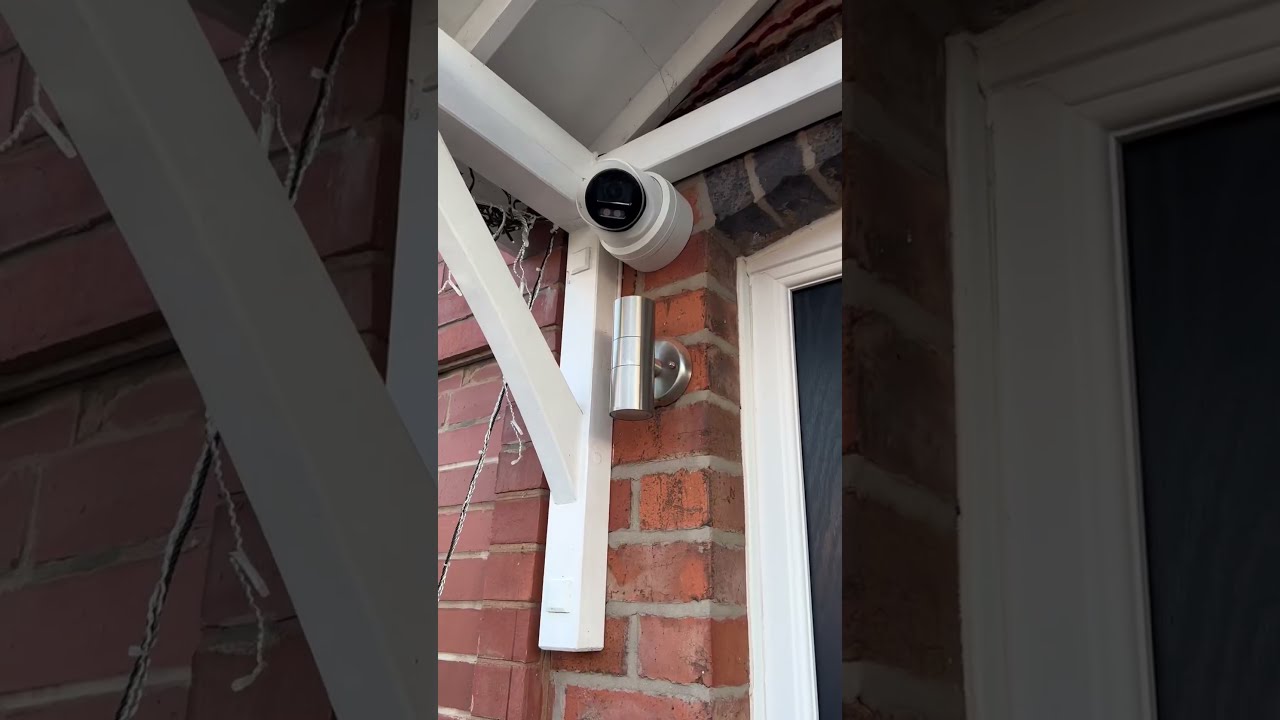
There is also the matter of firmware quality. Read release notes, skim user forums, and prefer vendors with predictable updates. Nothing derails an automation faster than an update that renames an entity or changes event formats. In production, defer updates until you can test. It feels fussy, and it prevents late-night surprises.
Home automation trends shaping surveillance
Three trends have matured enough to be practical. First, presence detection is getting better. Between phone geofencing, router presence, Bluetooth beacons, and motion patterns, you can model occupancy with fewer false states. That means smarter scheduling and fewer irrelevant alerts. Second, cross-device routines are getting easier, so integrating CCTV with Alexa or Google Home no longer means brittle hacks. A routine can arm a system, set lights, and pull up a camera on a display with one phrase, which makes it more likely users will actually arm consistently. Third, camera analytics are improving at the edge. Even modest devices can filter out pets or tag vehicles, which keeps the pipeline clean before anything hits the cloud.
One caution in chasing trends: do not overfit to a gimmick. A kitchen Nest Hub that can show the driveway is great. If it requires three vendor accounts, a flaky bridge, and breaks when the internet stutters, it is not worth it.
A practical blueprint for a modern home
Here is a tight baseline that has worked in many houses. Two exterior cameras covering approaches, one doorbell camera at the entry, and a camera in the garage pointed at the interior door. Smart locks on main entry points tied to a local hub. Door and window contacts on ground-floor access, plus a motion sensor covering the main hallway. Smart lighting on paths and entry.
The workflow: when everyone leaves, the system arms to away. Exterior cameras move to active alerting, interior camera shifts to record-on-motion. If a person triggers the driveway camera after dark, path lights go to 60 percent and a push alert with a thumbnail goes out. If the door opens via a valid code during away, record, turn on entry lights, and send a message that shows which code was used. If the system sees motion at the back door and the door contact does not open within 15 seconds, it downgrades the alert to informational because it is likely a raccoon or wind. Between sunrise and sunset, notifications quiet unless no one is home.
For presence, use a mix of phone geofencing and Wi-Fi presence. Require both indicators for arm-away, so a forgotten phone does not lock out a child. Keep voice disarming off. Allow “show driveway” and “is the house armed” commands via voice.
A practical blueprint for a small retail shop
A corner store with a single entrance and a rear delivery door does well with four cameras: entry, cash wrap, sales floor overview, and rear. Add a contact on each door, a tilt sensor on the back gate, and a water sensor near the mop sink. The alarm panel ties into the hub, or the hub serves as the primary alarm if local rules and monitoring satisfy your insurer.
Open routine at 7:30 a.m.: when the first authorized code disarms, the system turns on an even lighting preset, checks cameras online, and posts a quick status to the owner. Throughout the day, cameras record but do not alert. If the rear door opens, a quiet alert pings the manager and a short clip archives to “Deliveries.” Close routine at 10 p.m.: when the system arms, the hub scans for motion in the sales floor for two minutes. If motion persists, it keeps lights at 40 percent and alerts the manager with a clip. If a glass-break sensor trips after close, exterior floods turn on, the system plays an audible warning, and it sends a call-level alert.
Storage sits on a local NVR with 21 days retention, with cloud clips for alarms only. Internet down or not, the shop has evidence. Internet up, the owner can spot-check from home without calling staff.
Security, not surveillance theater
A pile of notifications and shaky footage does not protect anyone. Reliable alerts do. The throughline in every effective setup is restraint in what you notify, thoughtful choreography when events matter, and respect for how people actually live and work. Automations should hide until they need to perform, then act with clarity: lights on, locks confirmed, clips saved, the right person informed.
If you take one practical step this week, revisit your alert payloads. Trim them to essentials, add a thumbnail, and link directly to the event. If you take a second step, walk the property at night and watch your own cameras from your phone. You will see what they see, and you will know where to add a light, shift a zone, or tighten a schedule. From there, it is a short path from noisy motion to reliable insight.